How to track receipts without Excel: 3 methods that actually work
If you set out to start managing your personal finances and the first thing you searched was how to track receipts, you probably ran into Excel tutorials or apps asking you to connect your bank. Neither is ideal for everyone. Excel loses most people to friction; bank connections don’t cover cash and you have to trust someone with credentials.
Fortunately, there are modern methods that work without Excel and without handing over your online banking. This article walks through the three I use most in practice, with the good and bad of each, what to really expect when changing methods, the privacy question, and how to migrate if you already have data in Excel.
Why Excel fails for tracking receipts
Before proposing alternatives, it’s worth understanding why the traditional solution doesn’t work for most people. Logging a receipt in Excel means:
- Open the file (or wait for Google Sheets to load).
- Go to the right row.
- Type date, amount, description, category.
- Save.
That’s 4-6 steps taking at least 30-40 seconds per receipt. With 40 receipts a month, that’s 25-30 cumulative minutes. Add the mental friction of “I have to open the laptop to log a coffee” and the system gets abandoned in weeks.
And that’s assuming your Excel is already built. If you have to build it from scratch, it’s hours of initial setup. Most people never get past the setup.
Method 1 — Photo + automatic OCR
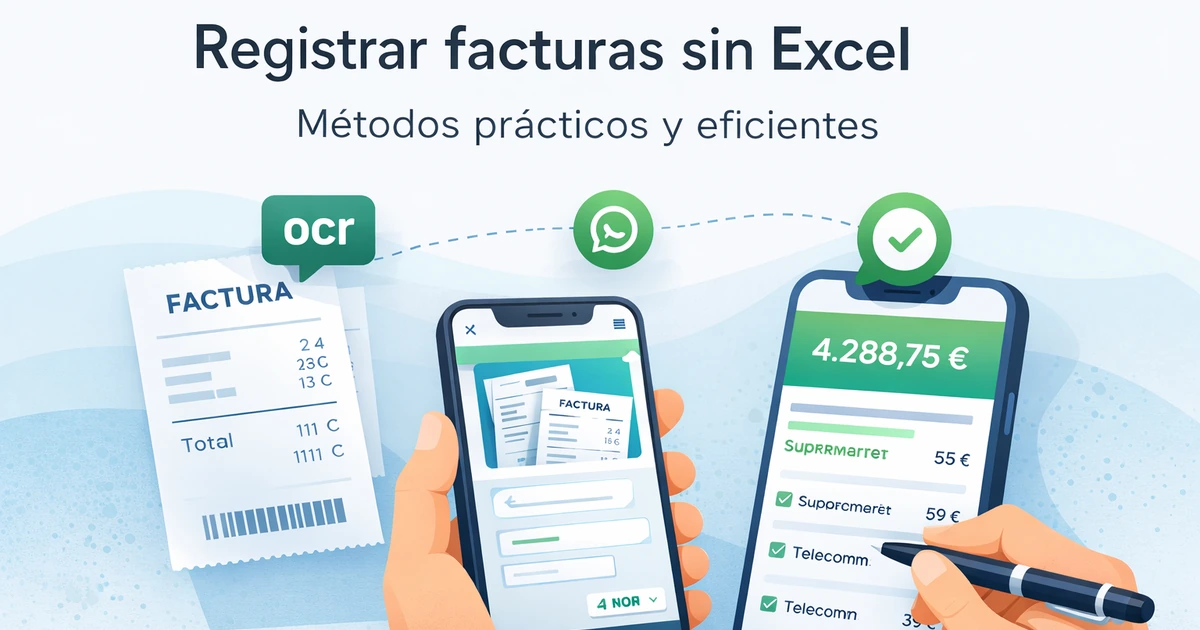
OCR (optical character recognition) lets an app read your receipt and extract text: amount, merchant, date. Some finance apps have this feature integrated: you take the photo, the app detects the total, and pre-fills the transaction.
How it works: open the app, take a photo of the physical or PDF receipt, the AI extracts data and suggests a category, you confirm.
For:
- Faster than typing manually.
- Useful for large receipts with many line items where typing would be tedious.
- Some apps store the photo as backup for taxes or warranties.
Against:
- OCR accuracy is imperfect: misreads amounts on blurry, badly printed, or oddly formatted receipts.
- Requires opening the app every time: the bottleneck is the same as with traditional apps.
- Doesn’t work for expenses without a receipt (60-70% of most people’s daily spending: a coffee, a cab in cash, a tip).
- Usually costs (premium feature in apps like Spendee or Wallet).
Fits: freelancers who need to keep receipts for professional accounting, people with many large expenses with physical receipts.
Doesn’t fit: people whose main spending is daily food, local transit, and small purchases without formal receipts.
Method 2 — Automatic bank connection
Apps like Fintonic, Mint, or YNAB connect to your bank, import transactions automatically, and categorize them. You log nothing: the transaction shows up by itself.
For:
- Zero friction for card payments.
- Full bank history available immediately.
- Automatic reports with no effort.
Against:
- Doesn’t capture cash. Every cash expense is invisible, and in many markets that’s 20-40% of a typical family’s spending.
- Requires sharing banking credentials with a third party, something many people (rightly) don’t want to do.
- The connection breaks every so often: bank web changes, strong authentication, expired sessions. Supporting the connection is a job in itself.
- Auto-categorization often fails with small local merchants, transfers between people, and mobile payments.
- Uneven country coverage: many banks worldwide aren’t supported or are poorly supported.
Fits: people who pay nearly everything with card and whose bank is well-supported in the app they use.
Doesn’t fit: anyone who uses cash regularly, those who don’t want to share banking credentials, families that receive transfers between members frequently.
Method 3 — WhatsApp assistant (text, voice, photo, or PDF)
The newest method and the one that removes almost all friction. Instead of opening an app, you write to a WhatsApp contact that’s an AI finance assistant. You can send:
- Text: “lunch was $28 with Camila downtown”
- Voice: an audio describing the expense (useful when driving or walking)
- Photo: of the receipt, invoice, or proof of payment
- PDF: the full bank statement or a digital invoice
The assistant interprets, categorizes, logs, and confirms back to you. If it gets it wrong, you tell it in natural language and it adjusts.
For:
- Minimal friction: WhatsApp is already open on your phone.
- Works for cash, card, transfers, anything.
- Accepts any format (the only one of the three that accepts voice).
- Naturally multi-user (each household member from their own WhatsApp).
- Logged at the moment of the expense, not at end of day.
- No sharing of banking credentials.
- No new app to install, no password to remember.
Against:
- Quality depends on the AI model behind it. Weaker models stumble on complex or badly typed phrases.
- For deep visual analysis, you usually complement it with a web panel.
- Fewer mature options than traditional apps (newer market).
- You depend on the provider: if it goes offline, your history can get stuck.
Fits: most people in 2026. Especially those who have abandoned apps before due to friction.
Doesn’t fit: people with full resistance to AI, those who need sophisticated financial modeling with scenarios and variables.
What to expect when changing methods
If you’re coming from Excel or from tracking nothing, the change to any of these three methods has a common curve:
Week 1-2: you feel “watched” logging every expense. It’s normal. The mental friction drops quickly.
Week 3-4: you start seeing patterns you didn’t see. Almost everyone discovers at least one category where they spend 2x what they thought.
Month 2: logging becomes automatic. You don’t think about it anymore. That’s when the system starts paying for itself.
Month 3: you have enough data to make informed adjustments. That’s when the most valuable part kicks in: data-based decisions, not intuition.
If the method you chose makes you feel that logging is an effort by month 2, that’s not your method. Switch without guilt.
The privacy question
A legitimate question when using any digital system: what happens to my financial data?
Local Excel: maximum privacy, data never leaves your machine. But you lose backup if the computer breaks.
Apps with bank connection: the provider sees your transactions and your balance. Many apps have solid privacy policies, but you’re still sharing sensitive information.
WhatsApp assistant: the provider processes the messages you send it. It doesn’t access your bank or see your real balance; it only sees what you tell it. Less invasive than the bank connection, more than local Excel.
What to do in any case:
- Read the privacy policy: what data is stored, for how long, who is it shared with?
- Verify the provider doesn’t sell data to third parties.
- Confirm you can export and delete your data anytime.
In Lukrio specifically, the policy is: encrypted data, no sale to third parties, export available anytime, full deletion on request.
How to migrate from Excel
If you already have months or years of data in Excel, don’t lose them. Practical steps:
- Export your Excel to CSV with columns: date, amount, category, description.
- Review the categories: if you used a custom scheme, map it to the one used by the new method. The 12 universal categories are a good bridge.
- Import to the new system. Most apps and assistants accept CSV import. On WhatsApp you can send the CSV as a document and the assistant processes it.
- Keep the Excel as backup for 3 months before archiving. Never delete it right away: it’s your history.
- Run the new system in parallel for a month before fully migrating. If you miss logging a day in the new one, Excel is still available as a safety net.
The real question
At the end of the day, “how to track receipts” is the technical question. The real one is: how do you build a habit that lasts? And habits last when the cost per execution is very low.
The three methods covered here lower that cost vs. Excel. Sustainable friction from lowest to highest: WhatsApp < Bank connection < Photo+OCR < Manual Excel. Pick the one that lands lowest for your reality.
If you want the complete framework, see the guide to managing your personal finances. If you already know you want out of Excel but don’t know where to go, the comparison between app, Excel, and WhatsApp will help you decide.
Track your expenses without opening any app
With Lukrio, you send a photo of the receipt, an audio, or a text on WhatsApp, and it gets logged and categorized. No Excel, no bank connection, no apps to install. Your data is yours and you can export it anytime.
If this article helped, see also how to categorize expenses, the 7 most common budgeting mistakes, and the 50/30/20 rule.